



Brock Beauchamp
-
Posts
32,665 -
Joined
-
Last visited
-
Days Won
328
Content Type
Profiles
Minnesota Twins News, Rumors & Analysis
Minnesota Twins Videos
2026 Minnesota Twins Top Prospect Rankings
2022 Minnesota Twins Draft Picks & Signing Bonuses
Minnesota Twins Trade & Free Agent Rumors
Minnesota Twins Fan Guides & Resources
2023 Minnesota Twins Draft Picks & Signing Bonuses
The Minnesota Twins Players Project
2024 Minnesota Twins Draft Picks & Signing Bonuses
2025 Minnesota Twins Draft Picks & Signing Bonuses
2026 Minnesota Twins Draft Picks & Signing Bonuses
Forums
Blogs
Events
Store
Downloads
Gallery
Everything posted by Brock Beauchamp
-

Twins Claim Jordan Schafer from Braves
Brock Beauchamp replied to Seth Stohs's topic in Twins Daily Front Page News
Well, somewhat comically he has an OPS of ~.850 in his first 20 PAs with the team so I'd wager he's going to get a few more starts. As long as Arcia doesn't sit at his expense - as he did today - I can't say I really care. I don't think Schafer is going to amount to anything but eh, whatever. Sitting Arcia against a righty. I just. I just... COME ON, GARDY. -
Offense is down, period. Guys aren't making as much contact and not hitting the ball as hard when wood manages to connect with the ball. That carries to every aspect of the game but it's particularly noticeable when your attention is at its peak (ie. runners in scoring position). Observational bias, I'd say.
-
Game Thread Twins@A's 8/10 3:05PM
Brock Beauchamp replied to Riverbrian's topic in Archived Game Threads
Click on your name. Click Edit My Profile. Scroll down to Profile Information. -
Game Thread Twins@A's 8/10 3:05PM
Brock Beauchamp replied to Riverbrian's topic in Archived Game Threads
Your reputation. Likes, mostly. -
Game Thread Twins@A's 8/10 3:05PM
Brock Beauchamp replied to Riverbrian's topic in Archived Game Threads
Everything about the stadium was awful 20 years ago. Then the Raiders came back to town, "renovated" the stadium, and then made it even more awful for baseball. But the A's can't move to San Jose because MLB is lame. That organization deserves so much better than it gets in Oakland. -
This is the second Twins Daily primer article – the first being the basics of the new Twins Daily – and today, we’ll focus on the user blog experience. How it has changed, how it hasn’t changed, and how to get the most out of your blogging experience on Twins Daily. Even some of the veteran bloggers might want to take a look at these tips, as a few things have changed with the new system. This is the second Twins Daily primer article – the first being the basics of the new Twins Daily – and today, we’ll focus on the user blog experience. How it has changed, how it hasn’t changed, and how to get the most out of your blogging experience on Twins Daily. Even some of the veteran bloggers might want to take a look at these tips, as a few things have changed with the new system. First, you’ll want to create your blog if you haven’t done so already. Just hop over to the blog section of the site and click the “Create a Blog” button. For those of you with blogs, you’ll see an “Add Entry” button in its place. One additional feature of the new software is that you can now have multiple blogs on Twins Daily. Why would you want to do this? I have no idea; just letting you know the option exists. Anyway, back to you new bloggers. Veteran bloggers, you can skip to the next paragraph. Once you’ve clicked “Create a Blog”, you will be prompted to name your blog and add a description and other related information. It’s all self-explanatory, just follow through the instructions and save your new blog. To create a new blog post, click “Add Entry” from the blog main page. Okay, so now everybody has a blog and has clicked “Add Entry.” Now we’re into the meat and potatoes of the new blog system: entering a blog. I’m going to skip over a few of the more self-explanatory steps (poll creation, publish/draft, preview, etc) and focus on some of the things that might confuse a new user. As you can see below, I have conveniently numbered the points for you. 1. Tags: you can tag “like content” in the new Twins Daily. The system will automatically generate links to like content in other blogs that are similarly tagged. A useful feature that helps users find related content and drive more traffic to your personal blog. For consistency and accuracy, it's best to list each tag as "firstname lastname" with no punctuation (and without the quotes). To add multiple tags, hit the comma key and that phrase will be added as a tag. 2. Entry image: this is the image that will appear at the top left of your blog and in the blog main page next to your post title. You can leave this blank but the more high-quality images you use, the more likely a person is to click into your post and read it. 3. Entry album: this is part of our new Twins Daily gallery. You can create an album of images and include the entire album in a blog post. This drop-down menu is how you add an album. 4. My Media: again, a gallery option but instead of posting albums, this can be used for single images. Do you have an image you want to re-use multiple times in blog or forum posts? Add it to your gallery and re-use the image multiple times with the My Media button. Video (not shown): mea culpa, I forgot to add this option to the image. To the left of My Media, you can see a green/blue square icon. If you want to add video from YouTube, MLB.com, or Vimeo, click this icon and selected Media from the drop-down list. Paste your YouTube or MLB.com URL into the Media URL field and click okay. The video will automatically insert into your post. 5. Paste Rich Content from your Blog: this is a brand-new feature. For security and technical reasons, allowing users to directly past images, links, and HTML markup into a post window is a bad idea. But you don’t want to re-link all your content and re-add images when pasting from your own blog. That’s lame. Click this text and paste your blog content into the generated window. Click okay. The system strips out all bad mark-up language (fonts, colors, etc.) and keeps your links, text effects (bold, italics, etc), and images. Super-handy. 6. Attach Files: obviously, being allowed just one image for your blog entry isn’t enough for long and/or complex entries. Need to add more images? Place your cursor where you want the image to appear, upload a new image using Attach Files, and then click Add to Article. The image will generate where you placed the cursor in the editing window. After you’re done editing your post, click either Save Draft or Publish and your entry will be saved. Publish the entry to allow other users to read the blog entry. Those are the blog basics. If you have questions or tips/tricks I missed in this article, be sure to post in the comments section! View full article
-
 First, you’ll want to create your blog if you haven’t done so already. Just hop over to the blog section of the site and click the “Create a Blog” button. For those of you with blogs, you’ll see an “Add Entry” button in its place. One additional feature of the new software is that you can now have multiple blogs on Twins Daily. Why would you want to do this? I have no idea; just letting you know the option exists. Anyway, back to you new bloggers. Veteran bloggers, you can skip to the next paragraph. Once you’ve clicked “Create a Blog”, you will be prompted to name your blog and add a description and other related information. It’s all self-explanatory, just follow through the instructions and save your new blog. To create a new blog post, click “Add Entry” from the blog main page. Okay, so now everybody has a blog and has clicked “Add Entry.” Now we’re into the meat and potatoes of the new blog system: entering a blog. I’m going to skip over a few of the more self-explanatory steps (poll creation, publish/draft, preview, etc) and focus on some of the things that might confuse a new user. As you can see below, I have conveniently numbered the points for you. 1. Tags: you can tag “like content” in the new Twins Daily. The system will automatically generate links to like content in other blogs that are similarly tagged. A useful feature that helps users find related content and drive more traffic to your personal blog. For consistency and accuracy, it's best to list each tag as "firstname lastname" with no punctuation (and without the quotes). To add multiple tags, hit the comma key and that phrase will be added as a tag. 2. Entry image: this is the image that will appear at the top left of your blog and in the blog main page next to your post title. You can leave this blank but the more high-quality images you use, the more likely a person is to click into your post and read it. 3. Entry album: this is part of our new Twins Daily gallery. You can create an album of images and include the entire album in a blog post. This drop-down menu is how you add an album. 4. My Media: again, a gallery option but instead of posting albums, this can be used for single images. Do you have an image you want to re-use multiple times in blog or forum posts? Add it to your gallery and re-use the image multiple times with the My Media button. Video (not shown): mea culpa, I forgot to add this option to the image. To the left of My Media, you can see a green/blue square icon. If you want to add video from YouTube, MLB.com, or Vimeo, click this icon and selected Media from the drop-down list. Paste your YouTube or MLB.com URL into the Media URL field and click okay. The video will automatically insert into your post. 5. Paste Rich Content from your Blog: this is a brand-new feature. For security and technical reasons, allowing users to directly past images, links, and HTML markup into a post window is a bad idea. But you don’t want to re-link all your content and re-add images when pasting from your own blog. That’s lame. Click this text and paste your blog content into the generated window. Click okay. The system strips out all bad mark-up language (fonts, colors, etc.) and keeps your links, text effects (bold, italics, etc), and images. Super-handy. 6. Attach Files: obviously, being allowed just one image for your blog entry isn’t enough for long and/or complex entries. Need to add more images? Place your cursor where you want the image to appear, upload a new image using Attach Files, and then click Add to Article. The image will generate where you placed the cursor in the editing window. After you’re done editing your post, click either Save Draft or Publish and your entry will be saved. Publish the entry to allow other users to read the blog entry. Those are the blog basics. If you have questions or tips/tricks I missed in this article, be sure to post in the comments section!
-
Welcome to the new Twins Daily!
Brock Beauchamp replied to Brock Beauchamp's topic in Twins Daily Front Page News
No technical reason, I just bumped the number to 50 thinking that nobody would ever need 50 likes in a day. I'll change it when I have a few minutes. -
This problem is due to Microsoft having a long track record of being awesome. IE11 has caused issues with several RTEs. In fact, we had an issue with the old software until I forced all versions of IE to run in IE9 mode. I'm going to try to find a better fix for the problem before I resort to that fix with the new software.
-
Interesting. Thanks for the heads-up on this. I was having a similar problem but cleared by browser cache yesterday and haven't had the issue since (then again, it only appeared two days ago and disappeared one day ago). It's possible that some people who stored cookies using the old site have conflict issues with the new site trying to write different cookies to your browser. Purely hypothetical. I also use Chrome, by the way.
-
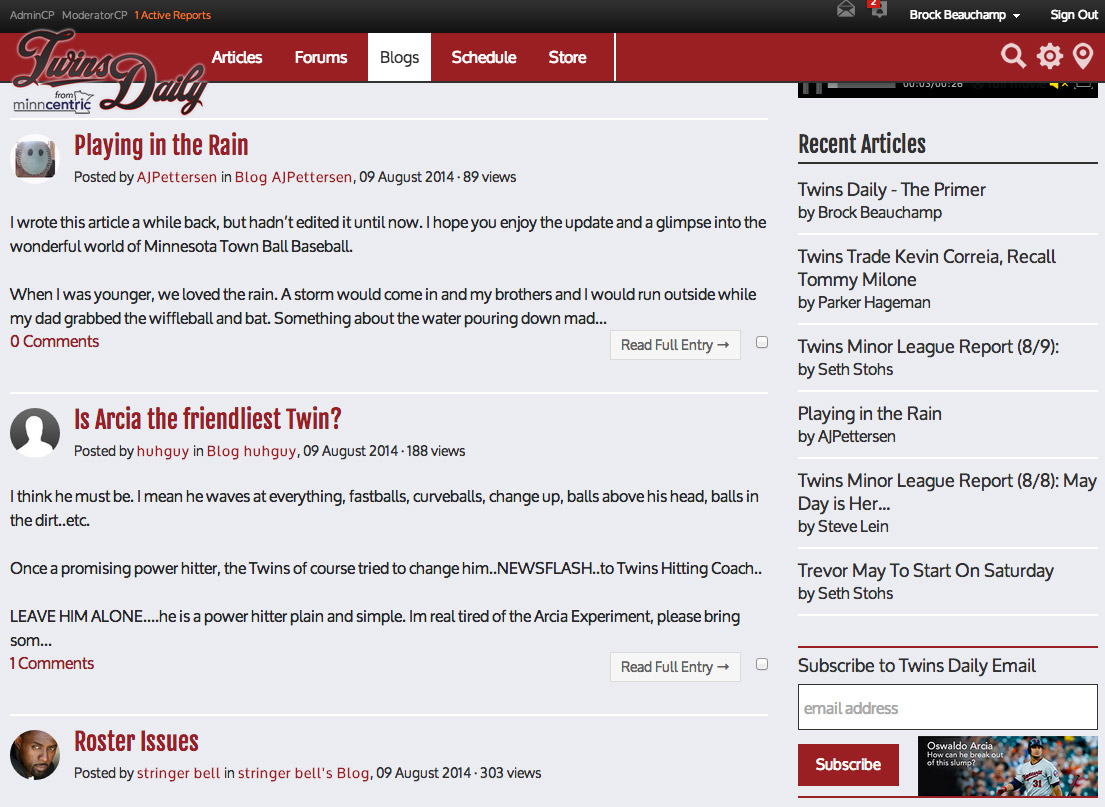
The new Twins Daily is certainly a work in progress (as is any living project) but given the number of new features and reshuffled user experience elements, I thought it might help to jot down a few of the biggest differences between the old Twins Daily and the new site. First, we’ll talk about the various sections of the site: some old, some new. The new Twins Daily is certainly a work in progress (as is any living project) but given the number of new features and reshuffled user experience elements, I thought it might help to jot down a few of the biggest differences between the old Twins Daily and the new site. First, we’ll talk about the various sections of the site: some old, some new. Articles: you’re reading one right now. I’m comfortable saying that you’ve found this section and can do so again if need be. Forums: As always, Twins Daily put a lot of emphasis on its excellent user forums. Pop on over here and take a look. A tutorial focused solely on this section of the site is coming at some point. Blogs: This section has been vastly reworked and I’d like to think it’s for the better. As always, every member of Twins Daily has the ability to create a blog in just minutes. Take a peek at the existing user blogs here and stay tuned – a blog tutorial is coming in the next few hours. Schedule: Twins Daily now has a working schedule of Twins games and Twins Daily events. Pop on over here to check box scores, game wraps, and pick up tickets for an upcoming game. Gallery: This section is entirely new, click here to take a look. Now available to all Twins Daily users is the ability to upload images and compile them in personal galleries. You can re-use these gallery images in forum or blog posts (using the My Media icon in the rich text editor). It’s a handy tool to keep your favorite images on hand or to share images with friends on Twins Daily. Roster & Payroll: Jeremy Nygaard has continued his excellent work on the Roster & Payroll section of Twins Daily, now with expanded player pages with additional information. Click here to find the current contract status of your favorite (or least favorite) Twins player. Organization Chart: Yeah, the old org chart was pretty awesome. This one is more awesome. You can now filter players by position, team, and a host of other options. Want to find the status of all the outfielders in the Twins organization? One click does the legwork for you. Kudos to Jeremy for putting such hard work into this excellent addition to Twins Daily. Those are the sections of Twins Daily. Now it’s time for a few bells and whistles. The header: You’ve probably noticed a few new icons at the top right of the page. 1. Quick Search: Want to quickly search any section of the site? Use this tool. By default, it only searches your current section of the site. By clicking the text found in the right side of the search window, you can change what section of the site you choose to search. 2. Advanced Search: Quick search not good enough for your needs? Click here to jump to a search page that gives you a robust selection of options to focus your search. 3. Quick Nav: This thing is awesome. Click it to quickly navigate to any part of Twins Daily, including viewing all new content, all unread content, or a host of other options. It’s the bee’s knees. Whatever that means. Along with the redesign, Twins Daily now has a link roll footer to find any section of the site quickly, including the ability to jump to our other MinnCentric sites. This is pretty self-explanatory but here’s a picture because I love pictures. One thing to note is that on the bottom right of your screen, you'll see a light grey box permanently affixed with an up arrow in it. Click that box to jump to the top of your current page. Them’s the basics of the new Twins Daily. If you have other tips and tricks that I haven’t mentioned in this article, be sure to post them in the comments section! View full article
-
 Articles: you’re reading one right now. I’m comfortable saying that you’ve found this section and can do so again if need be. Forums: As always, Twins Daily put a lot of emphasis on its excellent user forums. Pop on over here and take a look. A tutorial focused solely on this section of the site is coming at some point. Blogs: This section has been vastly reworked and I’d like to think it’s for the better. As always, every member of Twins Daily has the ability to create a blog in just minutes. Take a peek at the existing user blogs here and stay tuned – a blog tutorial is coming in the next few hours. Schedule: Twins Daily now has a working schedule of Twins games and Twins Daily events. Pop on over here to check box scores, game wraps, and pick up tickets for an upcoming game. Gallery: This section is entirely new, click here to take a look. Now available to all Twins Daily users is the ability to upload images and compile them in personal galleries. You can re-use these gallery images in forum or blog posts (using the My Media icon in the rich text editor). It’s a handy tool to keep your favorite images on hand or to share images with friends on Twins Daily. Roster & Payroll: Jeremy Nygaard has continued his excellent work on the Roster & Payroll section of Twins Daily, now with expanded player pages with additional information. Click here to find the current contract status of your favorite (or least favorite) Twins player. Organization Chart: Yeah, the old org chart was pretty awesome. This one is more awesome. You can now filter players by position, team, and a host of other options. Want to find the status of all the outfielders in the Twins organization? One click does the legwork for you. Kudos to Jeremy for putting such hard work into this excellent addition to Twins Daily. Those are the sections of Twins Daily. Now it’s time for a few bells and whistles. The header: You’ve probably noticed a few new icons at the top right of the page. 1. Quick Search: Want to quickly search any section of the site? Use this tool. By default, it only searches your current section of the site. By clicking the text found in the right side of the search window, you can change what section of the site you choose to search. 2. Advanced Search: Quick search not good enough for your needs? Click here to jump to a search page that gives you a robust selection of options to focus your search. 3. Quick Nav: This thing is awesome. Click it to quickly navigate to any part of Twins Daily, including viewing all new content, all unread content, or a host of other options. It’s the bee’s knees. Whatever that means. Along with the redesign, Twins Daily now has a link roll footer to find any section of the site quickly, including the ability to jump to our other MinnCentric sites. This is pretty self-explanatory but here’s a picture because I love pictures. One thing to note is that on the bottom right of your screen, you'll see a light grey box permanently affixed with an up arrow in it. Click that box to jump to the top of your current page. Them’s the basics of the new Twins Daily. If you have other tips and tricks that I haven’t mentioned in this article, be sure to post them in the comments section!
-
Welcome to the new Twins Daily!
Brock Beauchamp replied to Brock Beauchamp's topic in Twins Daily Front Page News
Crikey! You get 50 of them a day... -
1. May is a good - not great - prospect. 2. It was one start. He might be bad for the rest of the season. It won't mean much.
- 19 replies
-
- 2
-

-
- trevor may
- debut
- (and 2 more)
-
I would go as far to say that either could be replaced with a statue of Carl Pohlad and I wouldn't give a damn. It's that unimportant.
-
I haven't taken a good look at that functionality. I've only seen it pop up when I'm typing so yeah, there's a good chance it only appears if you are using the text editor.
-
What Do You Want Out Of Twins Daily?
Brock Beauchamp replied to John Bonnes's topic in Twins Daily Front Page News
That is something I would have to enable site-wide. Because the plug-in uses Javascript, I have to add it to the code myself for security reasons. -
What Do You Want Out Of Twins Daily?
Brock Beauchamp replied to John Bonnes's topic in Twins Daily Front Page News
Great post. I've thought of several of these already. Be sure to hit me up in February and we'll figure out if we can start a TD fantasy league. As for some of your other points, they're either planned for the future or already in the works. -
Welcome to the new Twins Daily!
Brock Beauchamp replied to Brock Beauchamp's topic in Twins Daily Front Page News
That would involve either a database setting or a cookie. Something I could explore in the future but it'll be awhile until I get to those kinds of fixes. -
Not necessarily. The closer a prospect is to the majors, the lower the chance that prospect has of flaming out of baseball. Some of the most respected prospect analysts vary quite a bit on this subject. There is no right answer and it completely depends on perspective.
-
Will Alex Meyer Pitch in the Majors This Year?
Brock Beauchamp replied to Nick Nelson's topic in Twins Daily Front Page News
The odd thing is that the big dollar bill deadlines have already passed unless the Twins plan on keeping Meyer in AAA until late July of 2015... and that doesn't make any sense. -
What Do You Want Out Of Twins Daily?
Brock Beauchamp replied to John Bonnes's topic in Twins Daily Front Page News
I've actually started adding links to box scores in the schedule tab. I usually have them up by 8am the next morning. -
Ugh. I don't think Gladden is manager material. While he can be right about specific problems the game has left him behind as a relic of the small ball era, as evidenced by the confusion he displayed over whether you want a higher OBP from your leadoff man or your cleanup man. I mean... Come on. How can a guy not understand the basics of the modern game? Moneyball is what, 12 years old at this point? It seems like he could have picked it up and flipped through a handful of pages by now.
-
What Do You Want Out Of Twins Daily?
Brock Beauchamp replied to John Bonnes's topic in Twins Daily Front Page News
Thanks a lot! It's great to hear people say things like "you're one of the best blogs in the country". As for getting in bed with the Twins, each of our writers has taken a different approach to how they interact with the team. Some have moved closer to the team in an effort to get timely information and inside stories. Others have chosen to remain on the outside precisely for the reasons you mentioned in your post. For one, I think it's a good mix and each of the writers have found their personal comfort spot both in their article topics and how they approach the Twins themselves.
